















Monitoring Tools for SQL Server
IDERA’s SQL Server Performance Monitoring Solutions
Built for modern DBAs, IDERA delivers enterprise-grade SQL Server software monitoring that helps teams maintain performance, availability, and reliability across complex environments. From real-time database monitoring to advanced diagnostics and optimization, IDERA provides the visibility DBAs need to stay ahead of issues.

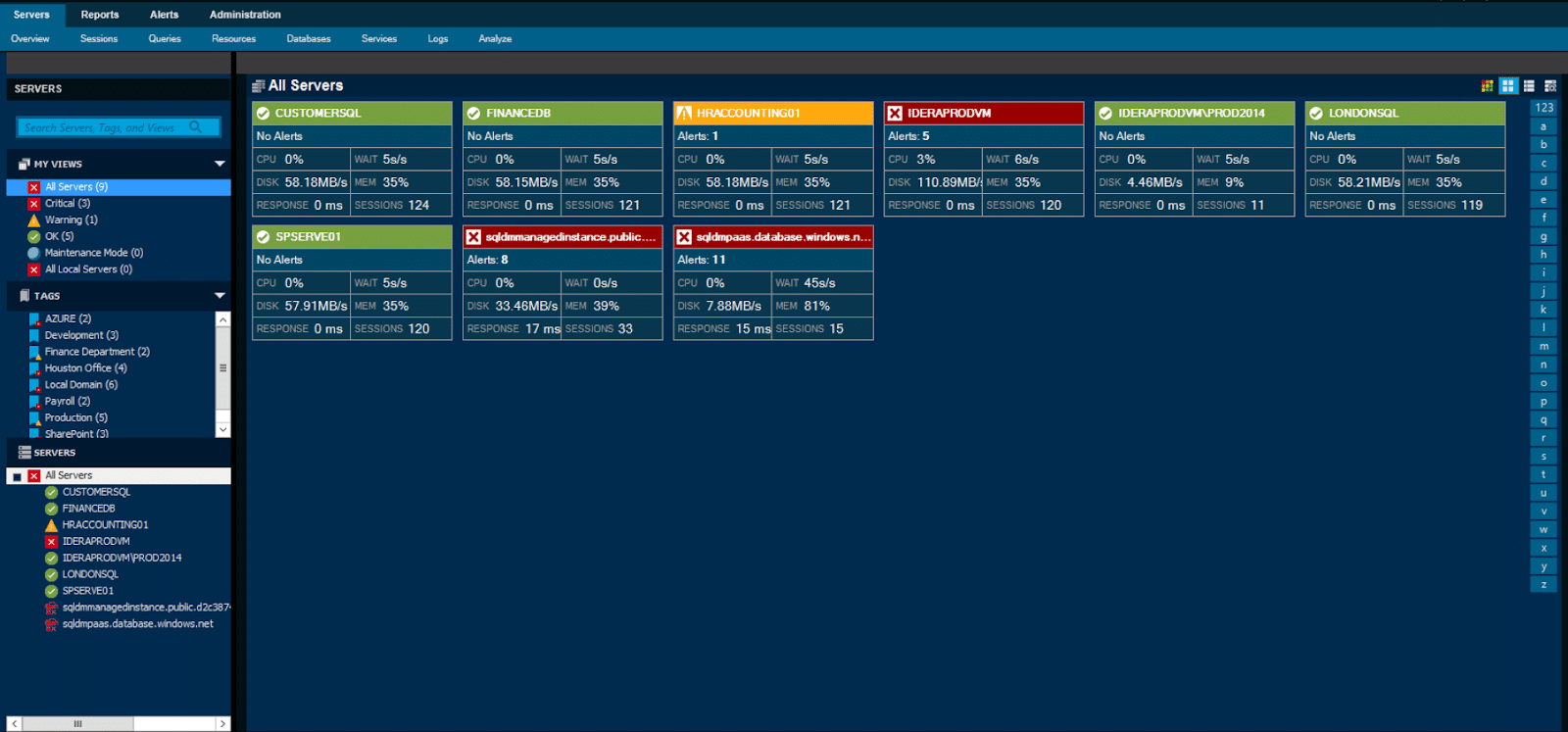
Enterprise Snapshot view, Dark Theme
SQL Server Performance Monitoring
Ensuring performance and availability is the most critical function for database administrators today.
As SQL Server environments grow more distributed and complex while teams and budgets remain constrained. DBAs need continuous database performance monitoring and a reliable SQL Server health check across their entire estate.
SQL Diagnostic Manager
There are many essential capabilities that database administrators require that you can only get with IDERA SQL Diagnostic Manager. Most solutions provide basic monitoring capabilities. However, with SQL Diagnostic Manager, you get much more. SQL Diagnostic Manager has support for mirroring, replication and cluster monitoring, tempdb monitoring, and virtual server monitoring for VMware and Hyper-V built-in and at no additional charge.
SQL Diagnostic Manager is the only solution that uses predictive alerts. These alerts analyze recent trends to provide early insight into potential problems before they even happen. SQL Diagnostic Manager is also the only solution that includes a Microsoft System Center Operations Manager (SCOM) plug-in and a PowerShell scripting snap-in. And we cannot forget to mention IDERA”s 18 other SQL Server tools and nine free SQL Server tools, making it the best value on the market today.
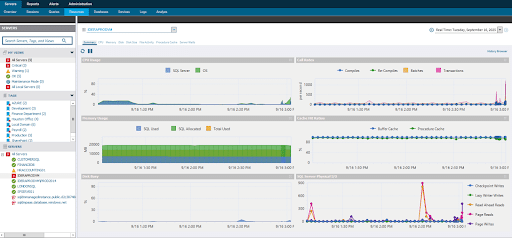
SQL Diagnostic Manager hardware resources allocation and usage console view.
Or contact Sales for more information.
MONITOR SQL SERVER PERFORMANCE ON-PREM OR IN THE CLOUD
SQL Diagnostic Manager delivers proactive SQL Server software monitoring with deep diagnostics to help DBAs quickly identify bottlenecks, troubleshoot issues, and resolve performance problems before they impact users. With real-time insights and historical analysis, teams can establish an accurate SQL Server performance baseline and detect anomalies with confidence.
See the Full Picture. Resolve SQL Performance Issues Faster.
SQL Diagnostic Manager delivers advanced SQL Server performance monitoring for both on-premises and cloud environments.
With real-time visibility, predictive alerting, and intelligent diagnostics, DBAs can detect performance issues early, pinpoint root causes, and prevent downtime before users are affected; whether running SQL Server locally, in virtualized environments, or in the cloud.
SQL Diagnostic Manager provides end-to-end real-time database monitoring across all environments, delivering query-level observability, deep root-cause analysis, and cross-tier visibility from SQL Server to OS, storage, virtualization, and cloud resources.
With agentless monitoring, minimal overhead, and upcoming AI-powered performance optimization and query comparison, DBAs can quickly compare current behavior against a trusted SQL Server performance baseline to pinpoint issues and resolve them faster.
Smarter Insights. Turn Data Into Action.
SQL Diagnostic Manager transforms raw performance data into prescriptive analytics and actionable recommendations across on-premises and cloud environments. DBAs receive clear guidance for tuning CPU, memory, I/O, TempDB, queries, and indexes, eliminating manual guesswork.
With built-in fragmentation analysis, replication monitoring, health scoring, and cloud cost observability, teams can continuously improve performance, validate SQL Server health checks, and optimize infrastructure spend with confidence.
Full Visibility. Total Control Over Your Data.
SQL Diagnostic Manager gives organizations complete ownership of their SQL Server monitoring data with long-term retention and compliance-ready reporting. A customer-owned repository supports multi-year forensic analysis while maintaining consistent database performance monitoring across on-premises, hybrid, and cloud environments.
With predictable per-instance pricing and no ingest fees, it’s possible to scale efficiently across large SQL Server estates, making it easy to compare environments and performance trends without unexpected costs.
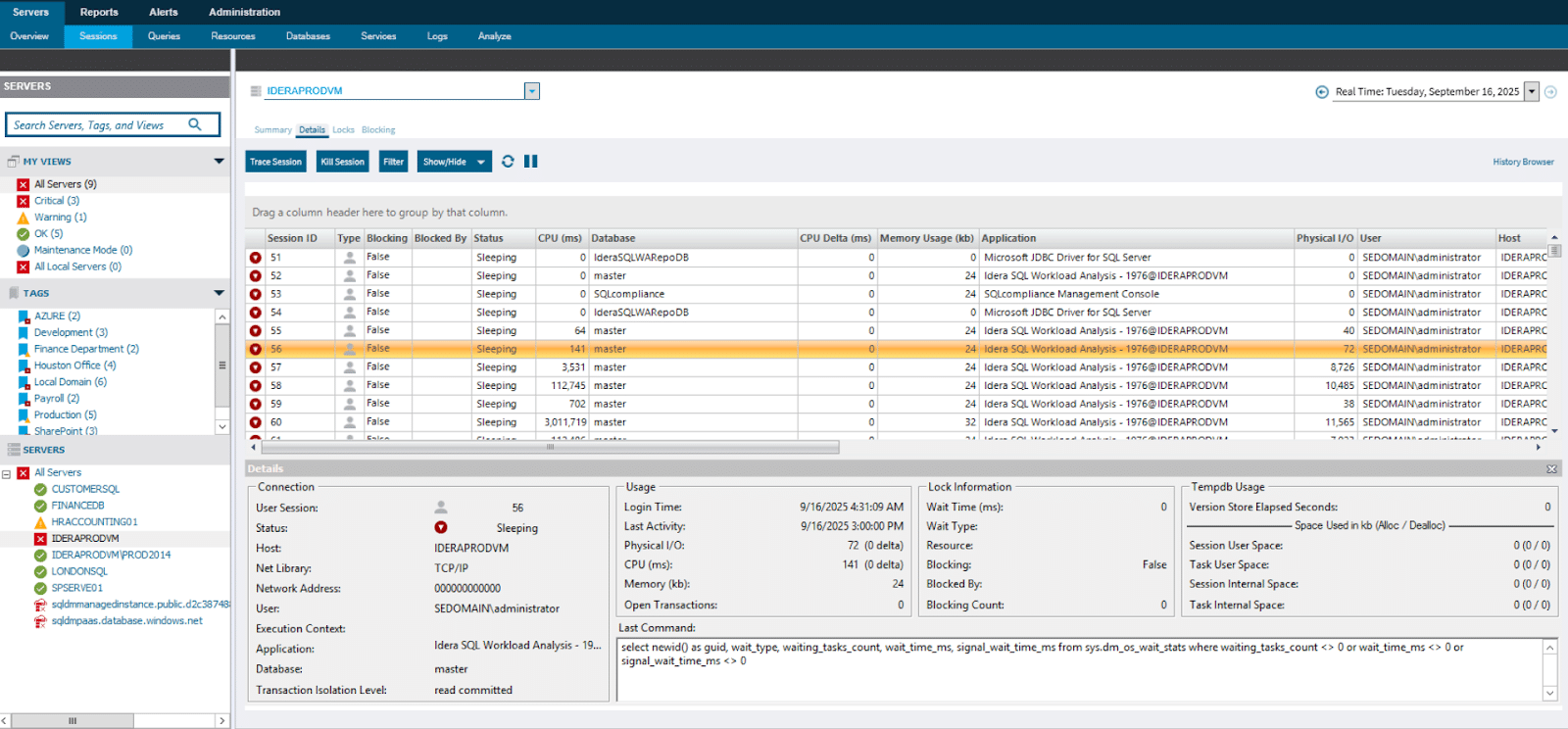
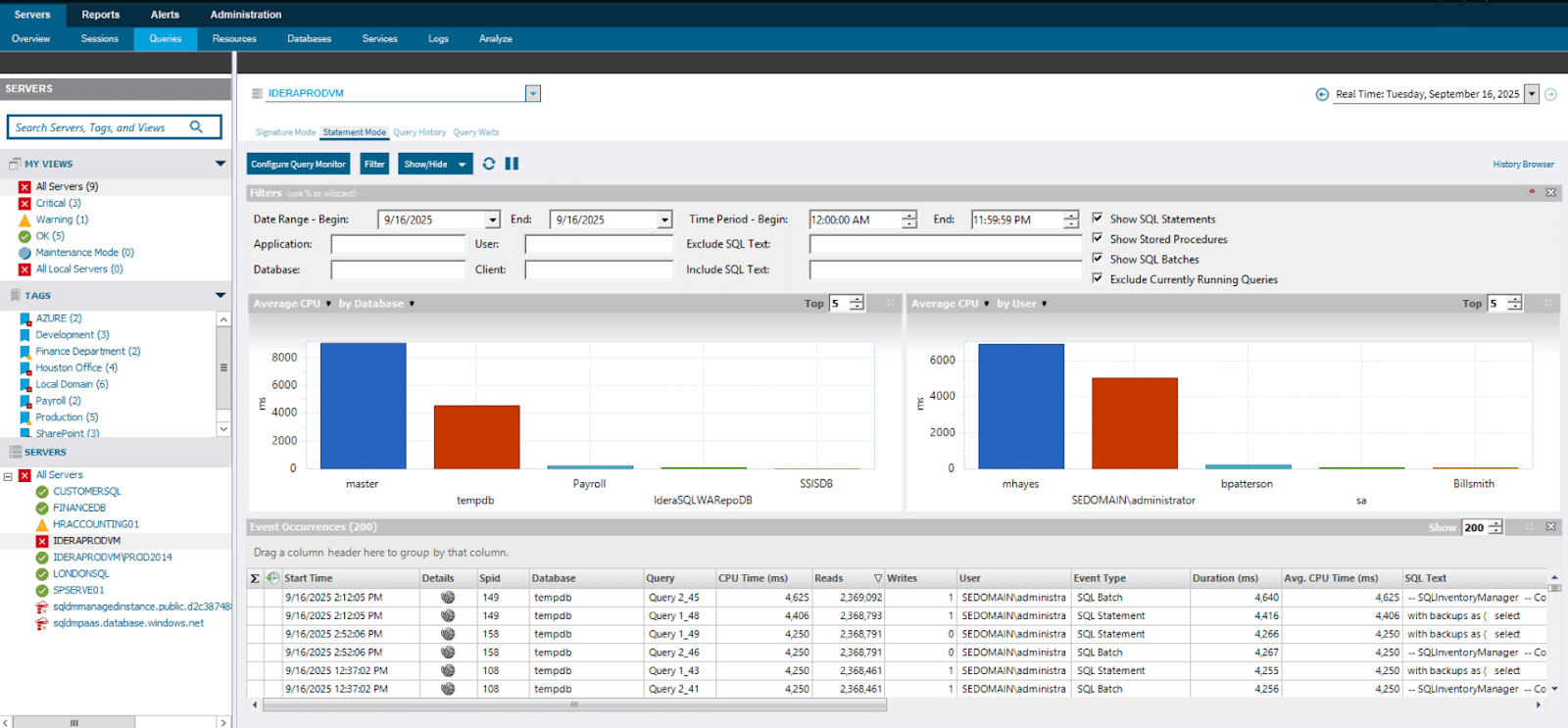
One Monitoring Experience Across Every SQL Environment.
IDERA also delivers a unified SQL Server software monitoring experience across on-prem, cloud, and hybrid deployments. DBAs maintain centralized visibility into Azure SQL, Azure SQL Managed Instance, AWS RDS, GCP, and virtualized environments from a single platform.
Normalized dashboards, agentless deployment, guest OS monitoring, and cloud cost tracking ensure consistent real-time database monitoring and simplify performance comparison across environments.
Features Built for DBAs
Slow SQL Query Log
Identify and analyze slow-running SQL Server queries with detailed query capture, filtering, and visualizations to quickly pinpoint performance bottlenecks.
SQL Server Alerts
Stay ahead of performance issues with customizable and predictive SQL Server alerts that notify DBAs before problems impact users.
View Expert Advice
Access built-in expert recommendations to resolve common SQL Server performance issues and apply proven tuning guidance across your environment.
SQL GUI
Monitor SQL Server performance and alerts from a single, intuitive interface that gives DBAs fast visibility and control across all databases.
Performance Analysis Dashboard
Get a real-time, at-a-glance view of SQL Server health, trends, and resource usage to quickly understand what’s impacting performance.
Blocking and Deadlock Detection
Detect, analyze, and resolve SQL Server blocking chains and deadlocks to prevent query slowdowns and application disruptions.
TempDB Monitoring
Monitor TempDB usage, contention, and configuration issues to identify performance risks before they escalate.
Index Analysis
Analyze missing, fragmented, and unused indexes with actionable recommendations to improve SQL Server query performance.
Wait Stats Analysis
Understand where SQL Server is spending time by analyzing wait statistics to uncover root causes of performance degradation.
SQL Diagnostic Manager Pro
Compare IDERA SQL Server Monitoring Solutions
SQL Diagnostic Manager, paired with SQL Workload Analysis and SQL Query Tuner, delivers the most complete SQL Server performance monitoring and optimization platform available. This integrated solution allows DBAs to compare performance across environments, workloads, and time periods, combining real-time monitoring, deep diagnostics, and advanced tuning in a single platform. The result is faster issue detection, clearer root-cause analysis, and confident performance optimization at scale.
SQL Diagnostic Manager |
SQL Workload Analysis |
SQL Query Tuner |
|
|---|---|---|---|
| Physical and Virtual Server Monitoring |  |
|
|
| Cloud Monitoring | |
 |
|
| Mirroring, Replication, Clusters, Availability Group Monitoring | |
|
|
| TempDB Monitoring | |
|
|
| Pinpoint Locks, Blocks, and Deadlocks with Drill-down | |
|
|
| Custom Counters | |
|
|
| Custom Reports | |
|
|
| Capacity Planning | |
|
|
| Historical Trends | Performance | Query Plans | |
| Performance Baselines | |
|
|
| Alerting with Predictions and Recommendations | |
|
|
| Adaptive Alert Thresholds | |
|
|
| Automated Alert Response Actions | |
|
|
| Ranked Expert Tuning Advice with Executable Scripts | |
|
|
| PowerShell Scripting | |
|
|
| SCOM Integration | |
|
|
| Customizable and Scalable Desktop Console | |
|
|
| Customizable Web Console | |
|
|
| Mobile Console | |
|
|
| Customizable Dashboard with Drill-down Analysis | Performance | Transactions | |
| Query Monitoring | Basic | Detailed | Detailed |
| Query Wait Time Analysis | Basic | Detailed | Detailed |
| Explain Plans | |
|
|
| Query Tuning and Recommendations | |
|
|
| Query Plan Tuning and Recommendations | |
|
|
| Lock and Latch Resolutions | |
|
|
| Storage Contention Resolution | |
|
|
| Continuous and High-granularity Query Sampling | |
|
|
| Visual Query Tuning | |
|
|
| Batch Query Tuning | |
|
|
| Query Rewrite | |
|
|
| Explain Plan Cost | |
|
|
| Index Analysis | |
|
|
| Continuous Query Profiling with Drill-down | |
|
|
| Query Load Testing Simulation | |
|
|
| Automation Via Command-line Interface | |
|
|
Extended Performance Monitoring and Tuning Capabilities
Take SQL Server performance analysis further with advanced add-on capabilities that go beyond baseline monitoring. These extensions deepen visibility into workload patterns and accelerate query tuning so DBAs can optimize performance with precision and confidence.
SQL Workload Analysis
Dive deeper into SQL Server activity to understand workload behavior and performance trends.
- Wait state breakdown: Analyze detailed wait statistics to uncover bottlenecks and resource contention.
- Continuous workload sampling: See where your SQL Server is spending time with high-granularity performance data.
- Historical analysis and insights: Track query plan trends over time to detect recurring performance patterns.
- Actionable recommendations: Use automatic tuning suggestions to improve query performance and reduce latency.
SQL Query Tuner
Optimize SQL query performance faster with targeted tools that simplify tuning and testing.
- Visual query tuning: Graphically profile and adjust poorly performing SQL queries for faster results.
- Wait-time analysis: Understand how specific queries impact resource waits and overall workload performance.
- Execution plan optimization: Explore and refine execution plans to reduce costs and improve execution efficiency.
- Load testing simulation: Validate query performance under realistic load scenarios before deploying to production.
Download a free, fully functional, 14-day trial of SQL Diagnostic Manager now!

IDERA Performance Monitoring Tools.
SQL Diagnostic Manager Pro includes SQL Diagnostic Manager, the SQL Workload Analysis add-on, and the SQL Query Tuner add-on.
The included SQL Workload Analysis add-on provides a granular breakdown of wait states with easy drill-down to isolate problems quickly. It delivers valuable real-time and historical data and actionable advice to improve performance.
The included SQL Query Tuner add-on maximizes database and application performance by quickly finding and fixing poor-performing queries. It eliminates bottlenecks by graphically profiling critical metrics inside the database.

Discover Why SQL Diagnostic Manager Pro is the Best Performance Monitoring Toolset for SQL Server
SQL Diagnostic Manager, the SQL Workload Analysis add-on, and the SQL Query Tuner add-on monitor physical and virtual servers. They pinpoint locks, blocks, and deadlocks with drill-down, and they display explain plans. Access SQL Diagnostic Manager and SQL Query Tuner via their customizable and scalable desktop console. Access SQL Diagnostic Manager and SQL Workload Analysis via their customizable web console. SQL Workload Analysis and SQL Query Tuner also provide detailed query monitoring and query wait time analysis.
SQL Diagnostic Manager also monitors physical and virtual servers, cloud environments, mirroring, replication, clusters, availability groups, and tempdb. It also offers custom counters and reports, capacity planning, historical performance trends, performance baselines, alerting with predictions and recommendations, and adaptive alert thresholds. It also has automated alert response actions, ranked expert tuning advice with executable scripts, PowerShell scripting, and SCOM integration. Also, access it via the mobile console. Further, benefit from the customizable performance dashboard with drill-down analysis, query monitoring, query wait time analysis.
Download a free, fully functional, 14-day trial of SQL Diagnostic Manager now!


SQL Diagnostic Manager Features
Frequently Asked Questions
What is SQL Server performance monitoring?
Why is SQL Server performance monitoring important?
What tools are used to monitor SQL Server performance?
What should I look for in a SQL Server monitoring tool?
Key features include real-time monitoring, predictive alerts, query analysis, historical data visualization, and integration with cloud or virtual environments.
How does SQL Server monitoring help with query optimization?
Monitoring tools capture query performance data, highlight slow-running SQL statements, and suggest tuning actions such as indexing, query rewrites, or resource allocation changes.
Can I monitor multiple SQL Server instances at once?
What are the benefits of predictive alerts?
Do SQL Server monitoring tools support cloud databases?
How do I troubleshoot slow SQL queries?
Are there free SQL Server monitoring tools?
Ready to Transform Your Database Monitoring?
- 14-day free trial with full access
- No credit card required
- Setup in under 5 minutes
- Cancel anytime, no questions asked
Already a customer and looking to upgrade?
Get the latest version here.